
This guide will show you how to setup your Radiomaster TX15, TX15 Max or any EdgeTX / OpenTX Multi-protocol radio for your OMPHobby M1 or M2 Helicopter.

EdgeTX model configuration files
Configuration File
Download TX15 OriginHobbies Configuration file v1.4
(Extract the zip file. Open it with EdgeTX Companion and copy over necessary models to your Radio)
The Configuration contains all the models listed below. Please see end of this page for Revision history of the Configuration files.
Model names in Configuration file
| Model Name | Model | Récepteur | Protocol |
|---|---|---|---|
| OMP M2 V3 | M2 V3 & M2 MK2 | XR2 | ELRS |
| OMP M1/M2 | M1 & M2 (V1/V2/EVO) | XR2 | ELRS |
Loading Models from configuration file to Radio
- Download and install Edge Companion tool on PC/Mac/Linux.
- Start the Companion tool.
- Power ON the Radio and Connect the Radio to USB port of your computer. Select “USB Storage mode“
- Get the models from the Radio to Companion tool.
Select Read/write->Read current models from radio. - Open the OriginHobbies configuration file you downloaded from above. There are many models in the configuration file. Copy the models you need from OriginHobbies configuration window to your Radio’s configuration window.
- Save the models from the Companion tool to the Radio.
Select Read/write->Write current models to radio. - Safely remove the USB disk drive.
- Disconnect USB.
Receiver type
ELRS
The XR2 receiver is perfect for M1 and M2 helicopters due to its compact size. You can purchase it from us with a pre-soldered connector for your M1/M2 helicopter.
| Channel | Function | Direction |
|---|---|---|
| 1 | Aileron | |
| 2 | Elevator | Inverted |
| 3 | Throttle | Inverted |
| 4 | Rudder | |
| 5 | Stability mode (ON/OFF) | |
| 6 | Collective Pitch | Inverted |
Radio switch Layout

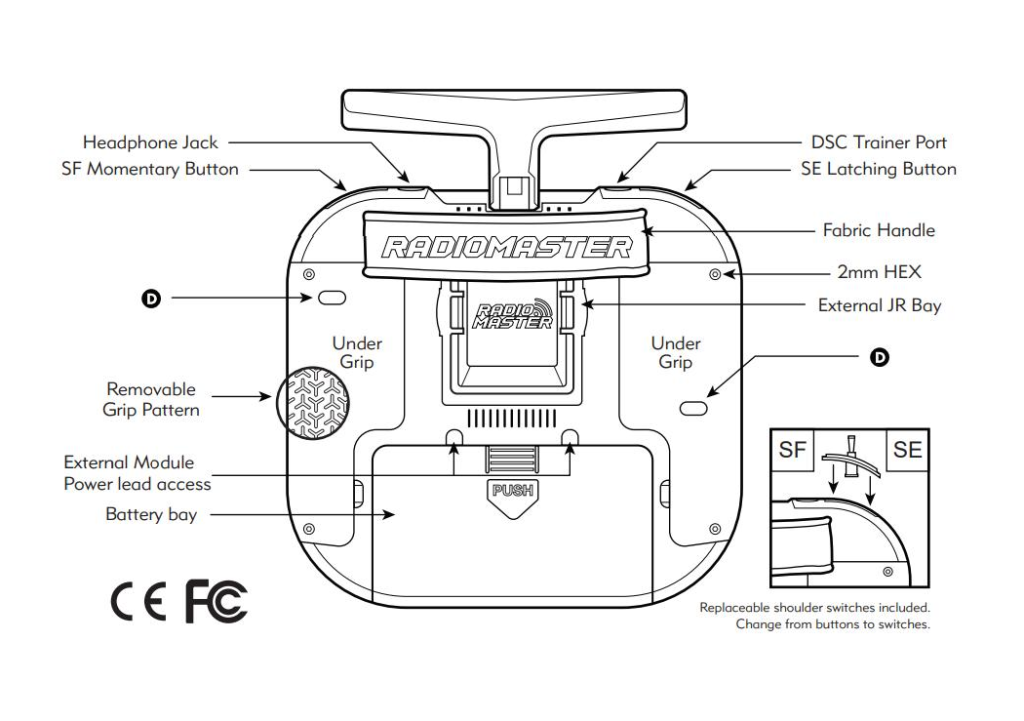
| Function | Switch |
|---|---|
| Throttle hold fail-safe | SE (↑Throttle cut disabled, ↓Throttle cut) |
| Throttle hold switch | SD (↑Throttle cut disabled, ↓Throttle cut) |
| Flight mode switch | SA (↑Normal, -Idleup1, ↓Idleup2) |
| Dual Rate switch | SC (↑High, -Medium, ↓Low) |
| Rescue switch | SF (↑Normal, ↓Rescue) |
| Stability mode switch | SB (↑Self-level OFF, -Self-level ON, ↓Self-level ON) |
| Volume control | S2 Dial |
| Brightness control | S1 Dial |
Other functions
- Flight timer: 4.5 mins, Haptic countdown at 10 seconds
- To reset flight timer, both Throttle hold switches should be in Throttle hold.
- Voice call on Throttle cut, Throttle active, Flight modes and Stability mode.
Binding and pre-flight Check
Binding
- Ensure batteries of your Helicopter and Transmitter are sufficiently charged
- It is a good idea to remove the main and tail blades of the helicopter to prevent any injury if motors start accidentally.
- Choose the correct model on the Boxer.
- Ensure throttle hold is engaged.
- Plug in the battery into the Helicopter 3 times in a row to put the ELRS receiver in bind mode.
- The LED on the receiver should be blinking twice repeatedly. This means it is in bind mode.
- On the Radio, start ELRS LUA script.
- Scroll down to bottom and Select Bind.
- When binding completes the LED on the receiver should be steady ON.
- During binding process, on the Helicopter the Blue LED will flash rapidly. Once binding is complete the Blue LED will be steady.
Pre-flight check
- The Red LED indicates Auto-level mode status.
Red LED blinking = Auto-level OFF.
Red LED steady = Auto-level ON.
Toggle auto-level switch and see it is switching between Auto-level ON et OFF. - Keep Auto-level OFF.
- Move the aileron/elevator sticks and check that the swash plate is moving correctly (left-right et front-back)
- Move the collective pitch stick and check that the swash plate is moving correctly (up & down)
- Disengage both throttle hold and throttle hold fail safe switches, give some collective and check that main rotor is spinning.
- Engage any one throttle hold and check that main rotor stops.
- Engage both throttle holds and check that flight timer resets.
- Now you can put the rotor blades back on and do a test flight. Good Luck!
Model Customization
You can customize the model configuration as per your linking. Please refer to explanation of different settings.
Switch Assignment
To change the switch assignments Navigate to Model->Input Page
Scroll to the Function whose switch you want to change. e.g. To change rescue mode switch scroll to Rsq input. Press and hold the Scroll wheel and select EDIT.
Scroll to Source and press the scroll wheel button. Then scroll till you find your desired switch. Press the scroll wheel button to confirm.
Throttle curves
| Curve | Curve name | Function |
|---|---|---|
| CV2 | TCn | Throttle curve for Normal mode |
| CV3 | TC1 | Throttle curve for Idle-up 1 |
| CV4 | TC2 | Throttle curve for Idle-up 2 |
Pitch curves
For OMP Protocol, there are no pitch curves on the Radio Transmitter as pitch curves are fixed inside the Helicopter. For other protocols, the below curves are used.
| Curve | Curve name | Function |
|---|---|---|
| CV5 | PCn | Collective pitch curve for Normal mode |
| CV6 | PC1 | Collective pitch curve for Idle-up 1 |
| CV7 | PC2 | Collective pitch curve for Idle-up 2 |
Config file Revision history
v1.4: 2026-01-27
	- m1/m2: fix elevator output to be inverted.
v1.3: 2025-12-03
	- M2: Updated RPM and TEMP sensor names. Added telemetry on top bar.
v1.2: 2025-10-09
	- Normal mode uses throttle and pitch curves like other radios
	- Fixed Throttle to be cut for Disarm and Throttle cut disabled.
v1.1:
	m1/m2: Fix timer arm on L7 instead of !L10
v1: initial 2025-09-13
 EN
EN  FI
FI  SV
SV  DA
DA  DE
DE  FR
FR